Rekordbox on VM: Debugging & Fixing a crash
Fixing a null function pointer call in Rekordbox on Windows 10 VM.
Introduction
I’ve had a passion for music since childhood and have spent hundreds of hours in apps like FL Studio and Ableton. This time I wanted to try Rekordbox 7.1.2 - a desktop app for DJs. But AlphaTheta, the company behind it, does not ship it for Linux, so I spun up a Windows 10 VM to install it there.
It crashed at startup with an "Unexpected error".
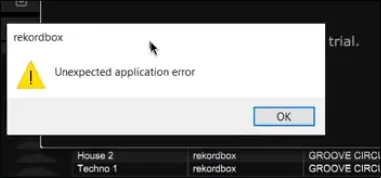
I was not expecting it either.
What follows is the trace from the exception to its root cause - Windows’ OpenGL loader handing back a null function pointer the app then called without checking - and a simple yet not straight forward fix that got it running.
Investigation begins
I opened x64dbg to trace the exception. There were many exceptions at startup, which is usually normal, so I thought the one crashing the app must be the very last in the application’s lifecycle - a first-chance exception that nothing handles, which then becomes the second-chance one that terminates the process. This is what that last exception looked like:
EXCEPTION_DEBUG_INFO:
    dwFirstChance: 1
    ExceptionCode: C0000005 (EXCEPTION_ACCESS_VIOLATION)
    ExceptionFlags: 00000000
    ExceptionAddress: 0000000000000000
    NumberParameters: 2
    ExceptionInformation[00]: 0000000000000008 DEP Violation
    ExceptionInformation[01]: 0000000000000000 Inaccessible Address
First chance exception on 0000000000000000 (C0000005, EXCEPTION_ACCESS_VIOLATION)!
ExceptionAddress: 0000000000000000 instantly caught my attention.
It means the RIP (Instruction Pointer) register contained 0 - a null function pointer.
x64dbg confirmed it, look at the value of RIP:

I examined the stack to see where that call instruction was located. Right after the exception occurred, the stack at RSP (Stack Pointer) contained the return address to the next instruction to be executed after returning from what should’ve been a proper function call, but ended up being a DEP (Data Execution Prevention) violation, i.e. a null pointer call, causing the crash.
The return address stored at the top of RSP brought me here:

Look at the instruction at 6B28 - it’s an indirect call to a function pointer stored at 7FF798C26938 - or, I should say in this case, what should’ve been a function pointer.
I thought that’s likely the culprit.
Confirmed. The memory held a null pointer:
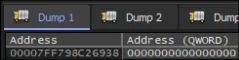
The next step was to find what writes to this memory location. I crossed my fingers and pressed find xrefs, expecting to see a good dozen references and a few days of reversing ahead. But to my surprise, there were only 3:

The first one looked particularly interesting because it is the only one writing to the memory. Also, it looked like it filled the memory where the null pointer was stored with a value from RAX, and RAX sometimes contains return value of a previously called function. Critically, this “initializer” was called in the same function that later called the pointer returned by this instruction, causing the exception. So I went there:

Confirmed, it got its value from the return of a function through RAX. I did not know what wglGetProcAddress was at that moment, but nevertheless I wanted to confirm it returned 0 instead of a proper function pointer.
I added a breakpoint on the call, restarted the app, stepped into it, and ran to return.
Confirmed, RAX contained null:
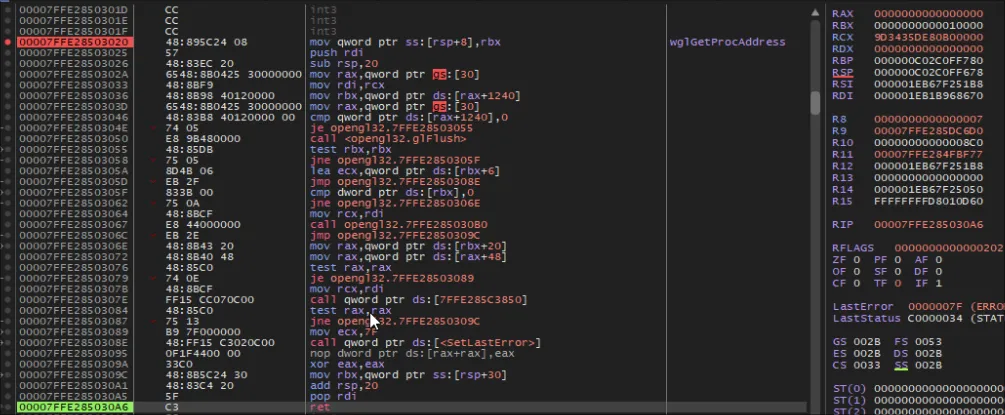
The picture was relatively clear by then. wglGetProcAddress returned a null function pointer for a yet unknown reason, and the code called it without any checks. The CPU can never execute an instruction at address 0, so this caused the DEP violation and crashed the app.
The next question was - what is wglGetProcAddress and why did it return 0 instead of a proper function pointer? I spent a few hours researching and found the answer.
What is wglGetProcAddress?
wglGetProcAddress is a Windows OpenGL function whose job is to look up the address of a modern OpenGL function by name at runtime.
It’s the bridge that lets a program call OpenGL features newer than version 1.1 on Windows.
Why does it have to exist?
Windows ships opengl32.dll as its OpenGL interface, but that DLL only directly exports the OpenGL 1.1 functions (frozen in 1996).
Everything added to OpenGL since then - every 1.2+ core function, every extension is not exported from opengl32.dll. You cannot link against them or GetProcAddress them from the DLL the normal way.
Instead, the real implementations live inside the graphics driver’s ICD (Installable Client Driver - the GPU vendor’s OpenGL runtime).
To reach them you ask the driver, at runtime - “give me the address of this function” - that’s exactly what wglGetProcAddress does.
Why did it return 0?
On my VM there was no GPU and no vendor ICD - the only OpenGL implementation available was Microsoft’s fallback, the GDI Generic software renderer exposed through the Basic Display Adapter, which implements OpenGL 1.1 and nothing more (GL_VERSION reports 1.1.0, GL_RENDERER reports GDI Generic) as you can see in the output from GL Extension Viewer:
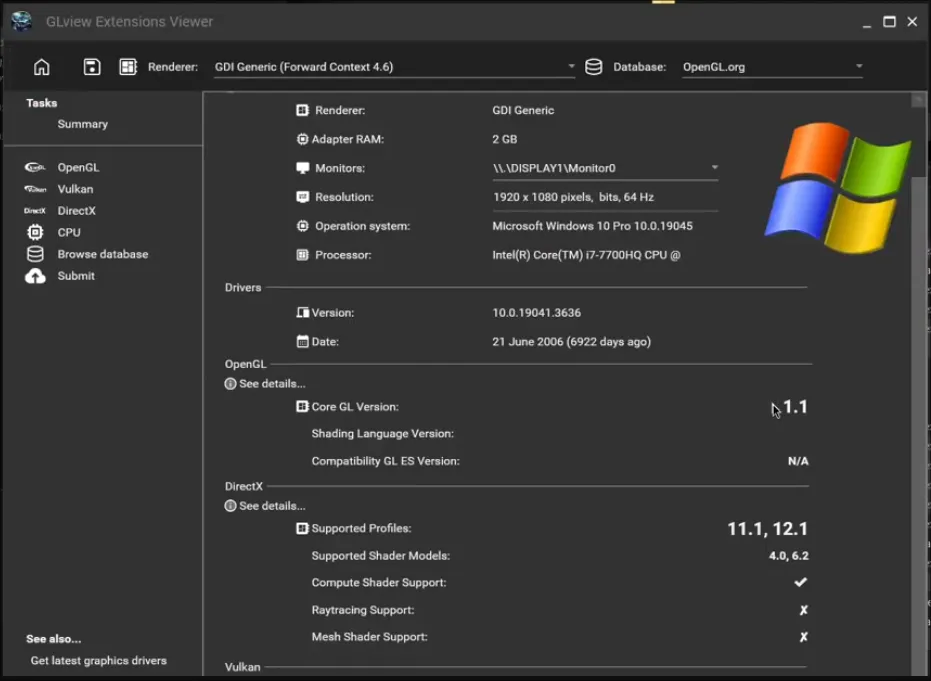
wglGetProcAddress only returns a valid pointer for functions the currently active implementation actually provides; every modern entry point Rekordbox asked for, such as wglChoosePixelFormatARB and the rest, live in the post-1.1 world that this renderer simply doesn’t have. With no ICD to resolve them against, each lookup had nothing to return and handed back 0.
Fix
So the shape of the problem is: OpenGL on this VM only exposes 1.1, JUCE - the C++ framework for audio applications that Rekordbox is built on - assumes wglGetProcAddress always returns something valid, and the two don’t mix. How do you give the VM a modern-enough OpenGL without wrestling with GPU passthrough?
After some searching I thought I’ll have to enable GPU pass-through, which I never liked as it’s very tedious and rarely works reliably (skill issue, of course), and then I’d have to install proper graphic drivers on the VM, with modern OpenGL from driver’s ICD… But then I found Mesa3D - a fully-software implementation of OpenGL that does not touch your GPU at all - everything is done through the CPU. It mimics the signatures of real OpenGL functions, but with software i.e. CPU implementation under the hood.
So I downloaded the latest official release from GitHub and extracted the zip with DLLs straight into the installation directory of Rekordbox. The LoadLibrary WinAPI function used to dynamically import DLLs on Windows has a feature that helps a lot in this case - when it’s called, it first looks for that DLL in the process directory, and only then if it doesn’t find the requested DLL there, it looks for the DLL in the System32 directory. That’s why extracting the Mesa3D’s DLLs into the installation directory of Rekordbox works.
Fingers crossed, double click…
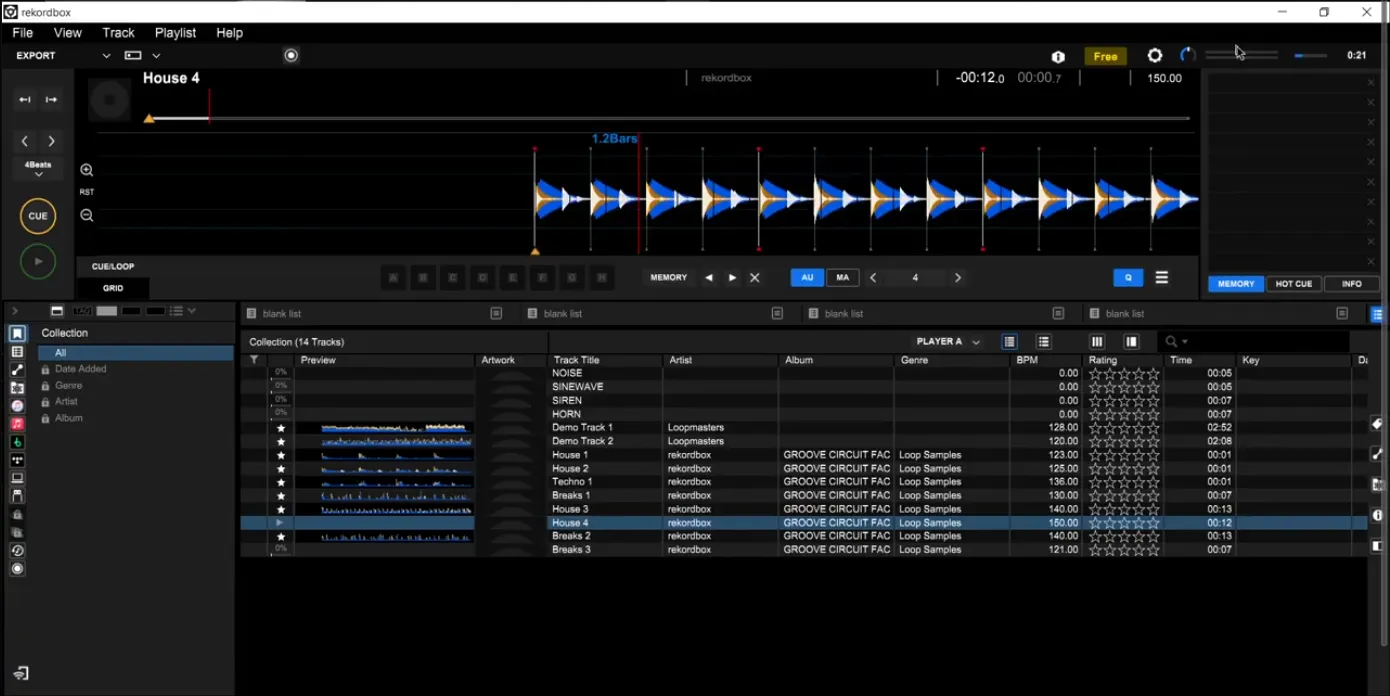
It worked - first try, no further tweaking. Did I enjoy fixing it? Absolutely. Have I ever launched Rekordbox after this? Not a single time.
Takeaway
Keep this story in mind when running GUI-heavy applications on non-ICD environments like VMs - if an app crashes at startup and the trace lands on a null function pointer near graphics initialization, there’s a good chance OpenGL (or Direct3D) is the culprit. A software renderer like Mesa3D can save hours of GPU-passthrough configuration.
And on a more general note: you never know where you’ll find use for your skills, so keep learning more.
All the best, see you soon.